The Complete On-Page SEO Checklist for Pages Not Getting Found
An on-page SEO checklist helps you review each page. It covers visibility, relevance and ease of use. Check search intent, keywords, title tags, meta descriptions and headings. Review URLs, content, images, links, schema markup and mobile use. Check page access and indexing too. Do these checks before publishing. Test the page during the build. Then track organic results after launch. Service pages also need clear offers and useful next steps. They need proof that builds trust. Fixing content and technical gaps gives search engines clearer signals. It also helps them understand why your page should rank.
What Is Included in an On-Page SEO Checklist?
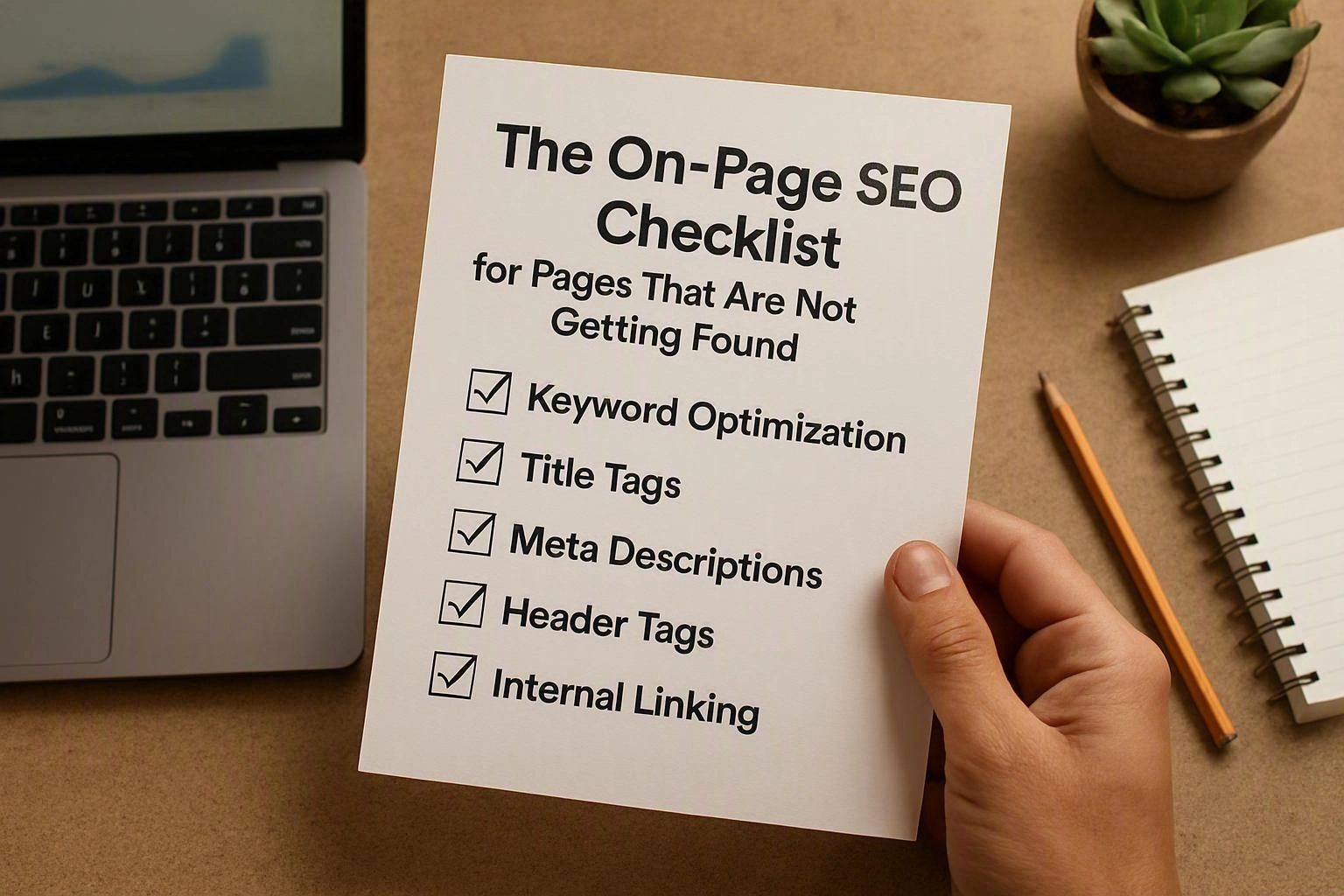
On-page SEO covers search intent, keywords, title tags and meta descriptions. It also covers headings, URLs, content, images and internal links. Structured data, mobile use and indexability matter too. These parts help search engines read the page. They also help users decide if it meets their needs.
The checklist suits service pages, articles and landing pages. Each page still needs checks that match its purpose. An article needs a full answer. A service page needs a clear offer and next step. Our team may use this process for On-Page SEO in South Brisbane. The method can help any website.
| Area | What to check | Why it matters |
|---|---|---|
| Search purpose | Query, format and audience | Improves relevance |
| HTML elements | Title, description and headings | Clarifies page topics |
| Content | Accuracy, depth and originality | Satisfies the searcher |
| Technical access | Canonical URL, crawl access and indexability | Supports discovery and indexing |
Use keyword research to learn how people search. Don't force the same phrase into every line. A page-level SEO checklist must also suit your website tools. You may have limited CMS access. JavaScript, large images or staff updates may affect the work.
Before Publishing: Check the Page’s Search Purpose
Search intent shows what a person wants from a query. Match the page type to that need. Choose one main keyword and map related terms. Review competing results and remove page overlap. Make sure the page gives a full answer.
These checks stop a polished page from serving the wrong need. Compare it with your other URLs first. Review guides, category pages and service pages. Then choose the final canonical URL.
A Keyword Research process should guide the brief. It shouldn't control every sentence. Give a comparison when the query asks for one. Explain the service when the query shows service intent.
How Should Headings Be Structured for SEO?
A clear heading structure uses one descriptive H1. It uses H2 headings for main topics. H3 headings cover smaller points. This semantic HTML structure helps people scan the page. It also shows search engines how ideas connect.
The H1 should name the main subject. It should normally appear once. Each H2 should start a useful section. An H3 should sit under the right H2. Don't skip levels for visual style. Headings should describe the next content. They shouldn't be keyword lists.
A guide may use an H2 about image optimisation. An H3 may cover alt text. A service page may use H2 headings for benefits, process and proof. It may also include FAQs. Use CSS for looks. Keep headings for meaning.
How Do I Write an SEO Title Tag and Meta Description?
A title tag should name the main topic early. It should be unique and encourage a useful click. Don't stuff it with keywords. A meta description should explain the page benefit. It should match the search need and give a reason to visit. Search engines may change either element. Accuracy matters more than strict character limits.
The title tag is HTML metadata. It represents the page in search results. Make it clear and different from related pages. Match it to the search query. Don't promise something the page can't deliver.
The meta description isn't a sure ranking signal. It can shape the search result snippet. It can also affect click-through rate. Tell readers what they'll learn or get. Use plain words and a clear action when it fits.
Check both elements on mobile and desktop. Important meaning should appear early. This helps if the result cuts off the end. Update metadata when the page changes.
During Implementation: Improve Images, Links and Page Experience
Image SEO can improve access, relevance and speed. Use clear filenames, useful alt text and the right size. Compress files without harming useful detail. Internal links help search engines find related pages. They also pass useful context across your site. Mobile use and Core Web Vitals reduce problems for people and crawlers.
Page work often involves more than copy changes. A non-technical team may need a CMS checklist. A developer may need to check HTML, lazy loading and JavaScript. Test the live page, not just the editor view.
A small page group often takes one to three working days. Complex templates can take longer. Limited access may also add time. This is a guide, not a fixed promise.
How Do I Optimise Images for SEO?
Choose the right image for the page. Resize it to the display size. Compress the file and use a clear filename. Add accurate alt text. Provide responsive versions when needed. Avoid stock images that add no value. Test loading on mobile connections.
Images should support the page. They shouldn't distract from it. A product, place or process image can add useful context. A decorative image may need no alt text. Keep key information in HTML, not only in an image.
How Do Internal Links Help a Page Rank?
An internal link helps search engines find a page. It connects related topics across your site. It also passes useful link value between pages. Clear anchor text explains the destination. Links from support articles can strengthen a main page.
Link from useful, visible content. Don't add unrelated link blocks. Check older pages after publishing a new one. Fix links that lead to redirects or errors. Update links with old information. Internal links help discovery, but they can't fix weak content.
After Publishing: Validate Indexing and Measure Progress
After launch, check if search engines can access the page. Check if they can index and read it too. Review the canonical tag, robots.txt and sitemap. Test rendered HTML and Search Console status. Then track impressions, clicks, rankings and engagement. Change one clear item at a time.
Google Search Console can show the type of problem. A page may be indexed but get few impressions. It may target the wrong query. It may lack detail or face strong competition.
Indexing doesn't mean ranking. Give search engines time to recrawl the page. Timing varies with site size, crawl demand and competition.
What Makes a Service Page SEO-Friendly?
A service page links a customer problem to a clear service. It explains the benefits, process and next step. It suits commercial search intent without making big claims. It answers common concerns and links to useful pages.
Start with the customer's problem. Then explain how the offer helps. Describe the process, likely results and limits. Say who the service suits. Proof may include real skills, examples or reviews. Never invent awards, reviews or results.
Commercial landing pages need a clear path to action. Use a simple enquiry route and useful contact details. Keep forms short. FAQs can cover timing, scope and preparation. Don't turn the page into a keyword list.
An article may guide readers to a related service. A service page should stay focused on its offer. Our SEO Agency team uses an evidence-led approach. We change the structure for each audience and decision stage.
Check access, mobile use and content quality before launch. A strong service page helps first. It answers the customer's real question. It also makes the next step clear.
Red Flags That Explain Why a Page Is Not Getting Found
Common problems include a noindex directive and wrong canonical URL. Thin content, duplicate content and weak search intent can also hurt. Other issues include keyword cannibalisation, orphan pages and blocked files. These issues can stop discovery. They can also make the page less useful than others.
Check the technical cause before rewriting the page. A noindex issue needs access controls fixed. Impressions with few clicks may need a clearer title. The result promise may also need work.
Questions About SEO Agency
How Long Does It Take for On-Page SEO Changes to Work?
Changes may take days or weeks to appear in organic search. Timing depends on crawl demand, site size and competition. It also depends on the update size. Track impressions, clicks and rankings. Don't expect instant results.
Why Is My Page Not Showing Up on Google?
Possible causes include noindex settings and blocked crawling. A wrong canonical tag, weak links or duplicate content may also cause problems. The page may not match search intent. Use Google Search Console URL inspection. Then check the page, sitemap, robots.txt and content purpose.
How Many Keywords Should I Use on a Page?
Use one main topic and related terms that help explain it. There is no fixed keyword count. Add the primary keyword where it fits. Cover useful synonyms, questions and subtopics. Avoid repetition and keyword stuffing.
Does Page Speed Affect SEO Rankings?
Page speed and Core Web Vitals can affect user experience. Google also considers them as page experience signals. Speed isn't the only ranking factor. Improve it with search intent, useful content, access and technical SEO.
What Is the Difference Between On-Page SEO and Technical SEO?
On-page SEO focuses on page content, HTML, headings, images and internal links. Technical SEO covers crawling, rendering, indexing, site structure, speed and platform controls. The areas overlap. Strong search results often need both.
Related Resources
How Much Does SEO Cost in Brisbane?
SEO agency Brisbane cost
What It CostsHow Much Does Ecommerce SEO Cost in Australia?
ecommerce SEO agency cost
What It CostsEnterprise SEO Costs in Australia: What Large Websites Need
enterprise SEO agency cost
How It WorksHow Long Does SEO Take to Work? A Practical Agency Timeline
how long does SEO take to work